Windows Tips
Security Tips – How to turn off autoplay
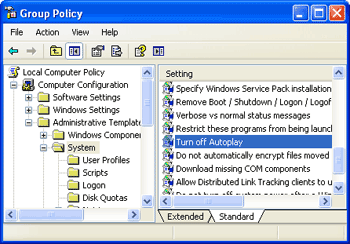
Disc autoplay is a Windows feature that lets you execute a disc’s content when you insert it. Though this can be comfy, it presents a security threat for our systems since computer viri may reside in discs infecting all computers as they are inserted. To turn off the autoplay feature:
- Go to Start > Run and type:
gpedit.msc
Press the Run button.</li>

  * A window will pop-up. Go to Computer Configuration > Administrative Templates > System and change to Enable the _Turn off Autoplay_ option: